GeekLink Translate
Translate an existing source SRT into another language.
Video tutorial
English narration with English captions.
When to use Translate
Use the Translate workspace when you already have source subtitles, either as an SRT you bring yourself or subtitles created by OCR or Transcribe.
Output: Target-language SRT subtitle file.
How to Use
- Choose "Translate subtitles" Select the Translate subtitles card on the home screen.
- Import a video and its source subtitles Bring a video that already has a source track, or import a matching SRT. Translation needs source subtitles before it can run.
- Choose source and target languages Set the source language (the current language of the subtitles) and the target language (the language you want to translate into).
- Choose a translation engine Select a suitable translation engine based on your needs (see the engine comparison table below).
- Click "Run Translation" Click the Run button at the bottom to start translation.
- Confirm the translation direction popup A confirmation dialog will appear asking you to verify the source and target languages.
- View results After translation is complete, click "Open Subtitle Editor" to review the translation results.
If You Do Not Have Source Subtitles
Use the guidance in the Translation workspace to open Transcribe speech when the words are in the audio, or Extract hardcoded subtitles (OCR) when the words are already visible in the picture. These workspaces expose their full recognition settings. After speech recognition, use Continue to Translate to return with the source subtitles ready.
English narration with English captions.
Translation Demo
The built-in demo is intentionally split into two actions. Load the demo video first, then load its matching source SRT. Seeing both items arrive makes the requirement clear before you configure the target language and translation engine.
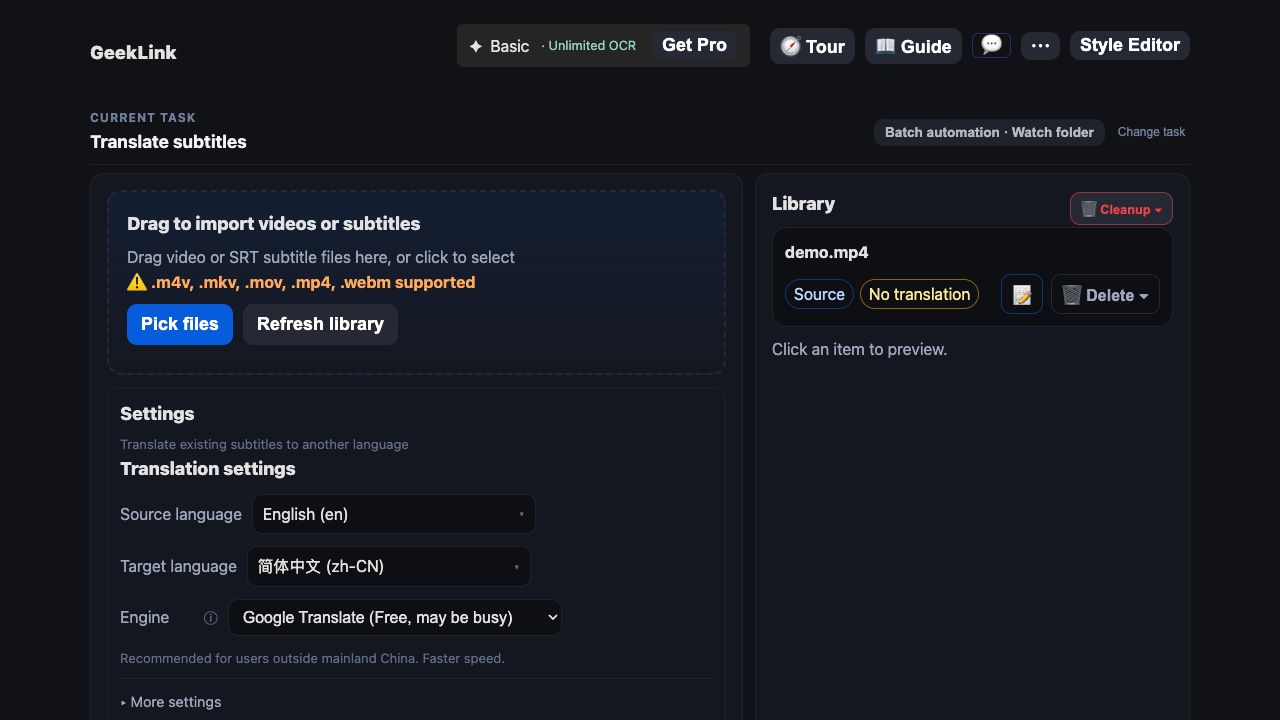
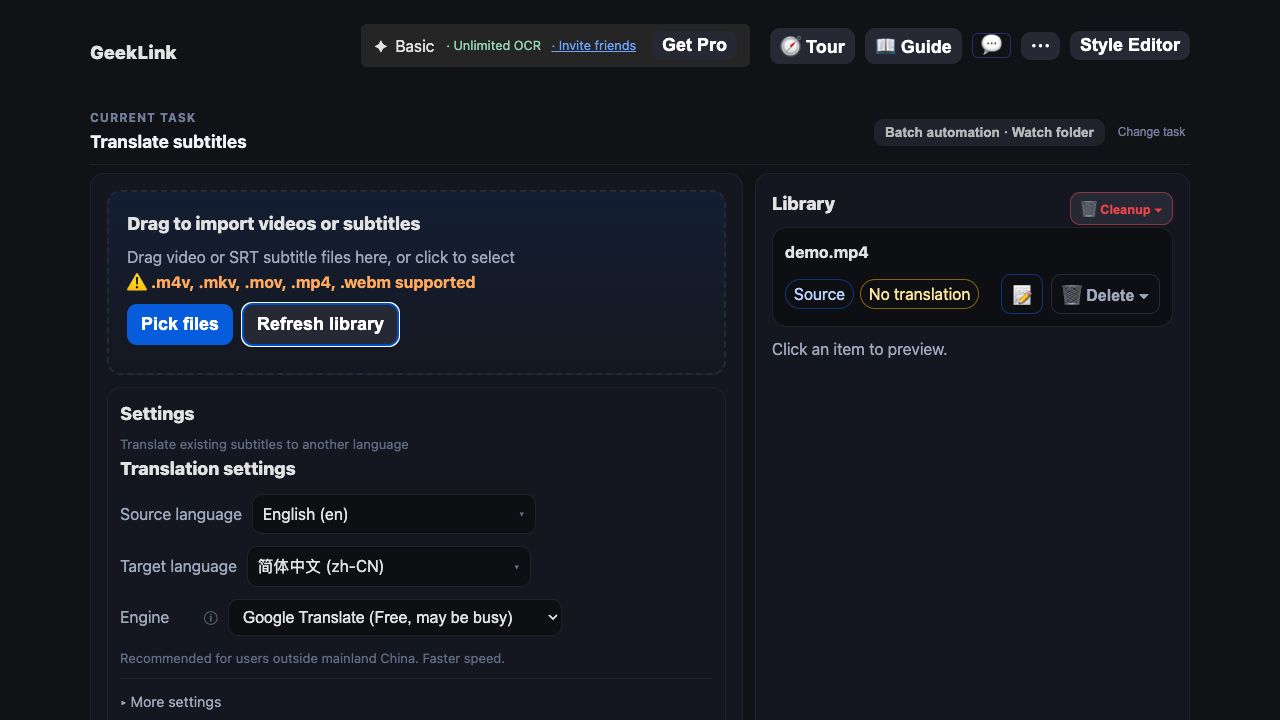
Translation Engine Comparison
| Engine | Type | Translation Quality | Speed | Best For |
|---|---|---|---|---|
| ChatGPT (GPT-4o Mini) | PRO | High | Fast | Unavailable in mainland China & Hong Kong |
| ChatGPT (GPT-4o) | PRO | Highest | Medium | Premium quality. Unavailable in mainland China & Hong Kong |
| Claude (Haiku) | PRO | High | Fast | Unavailable in mainland China & Hong Kong |
| DeepSeek | PRO | High | Medium | Recommended for users in mainland China |
| Google Translate | Free | Medium | Fastest | Quick translations, previewing. Requires direct access to google.com |
| Custom API | Free | Depends on the API | Depends on the API | Use your own OpenAI-compatible API |
DeepL with Your Own API Key PRO
Choose DeepL in the translation engine list and enter your DeepL API Key. The key is saved on this computer for future use. This option requires GeekLink Pro or an active trial. Translation uses your own DeepL allowance and does not consume GeekLink Credits.
Custom Translation Instructions
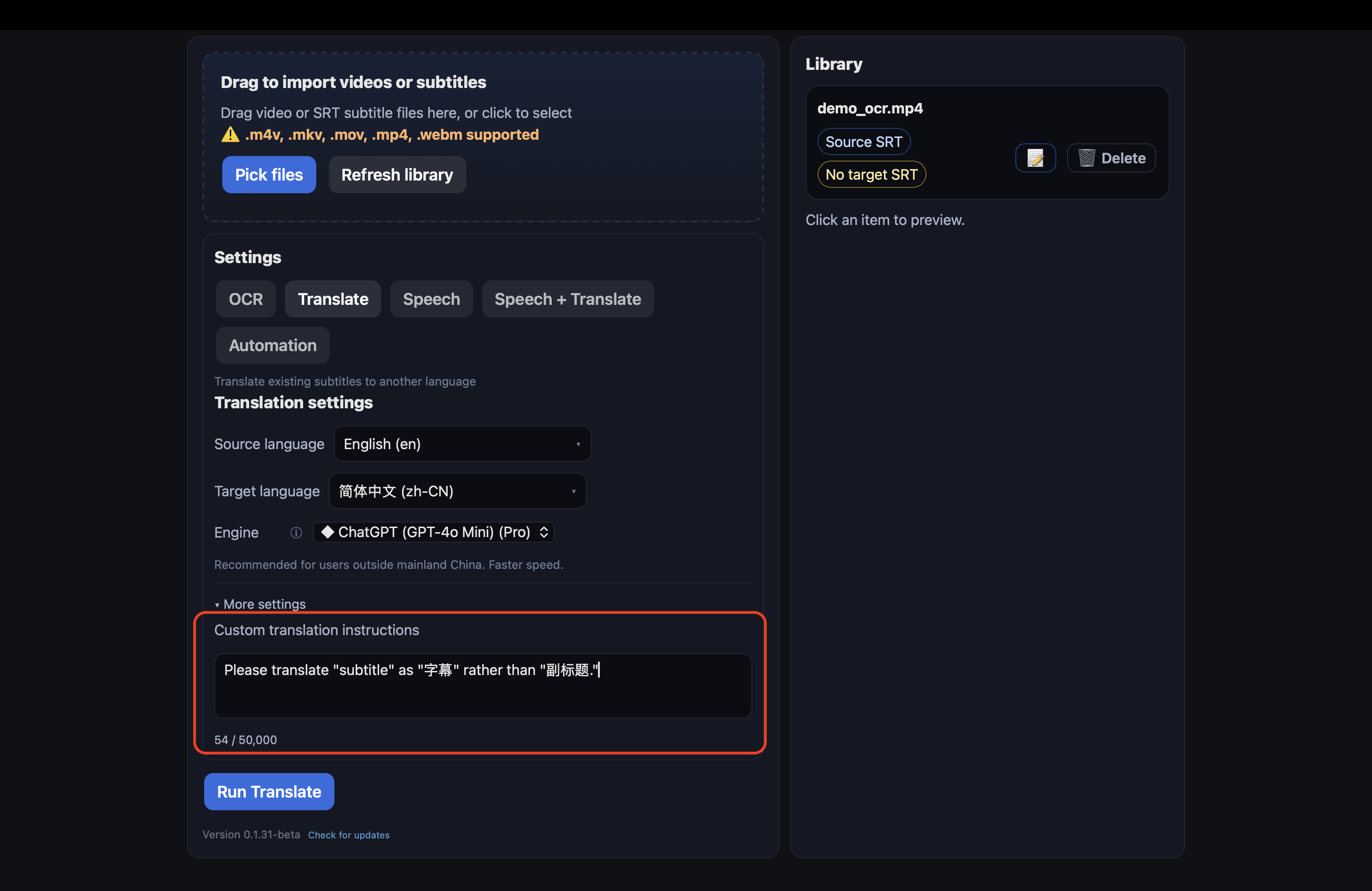
In "More Settings" you can provide additional translation requirements to help the translation engine better understand your needs. For example:
- Terminology: "Please translate 'subtitle' as 'subtitles' rather than 'captions'"
- Style: "Use a conversational translation style"
- Context: "This is a tech tutorial video"
Character limit: 50,000 characters.
Custom API Settings
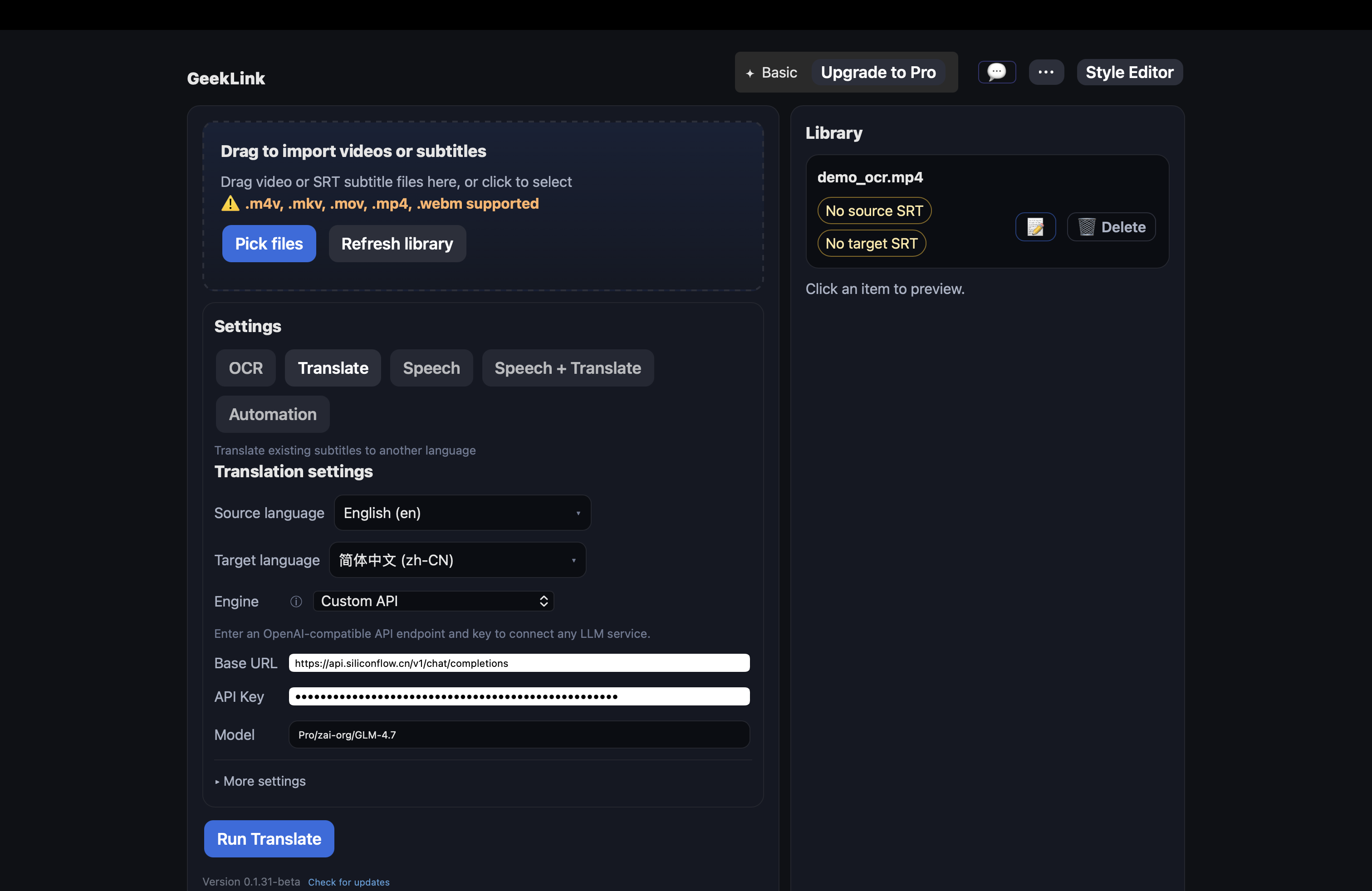
If you choose the "Custom API" engine, you need to fill in the following:
- Base URL: Enter an OpenAI-compatible API endpoint (e.g.
https://api.openai.com/v1) - API Key: Enter your API key
- Model: Enter the model name (e.g.
gpt-4o-mini)
Supports any service compatible with the OpenAI Chat Completions API format.
FAQ
Why is Google Translate unavailable?
Google Translate requires direct access to google.com, which may not be available in some regions. If you are in mainland China, we recommend using the DeepSeek engine as an alternative.
What if the translation quality is unsatisfactory?
Try switching to a different engine, or provide more context in "Custom Translation Instructions". For example, telling the engine about the video's topic, domain, and desired language style can usually improve translation quality significantly.
Can I translate only some subtitles?
Translation processes all source-language subtitles. If you only need partial translation, you can manually edit in the subtitle editor.