For batch processing and all-in-one subtitle workflow on Mac, GeekLink ($12.99/mo) is the most complete desktop option — it handles transcription, OCR, translation (40+ languages), editing, and burn-in all offline. For free manual editing, Aegisub remains the gold standard. For cloud-based work, Kapwing ($16/mo) and Veed.io ($10/mo), both billed yearly, offer the best AI subtitle generation with no install needed. All prices were checked on each tool's official pricing page in September 2026.
I've been working with video subtitles for years, and finding a good subtitle editor on Mac has always been frustrating. Most tools are either Windows-only, browser-based with upload limits, or professional NLE software that's overkill for subtitle work.
So I tested 12 subtitle tools available to Mac users in 2026 — 6 desktop apps and 6 online tools — and put together this honest comparison.
Key takeaways
- Best all-in-one desktop tool: GeekLink ($12.99/mo) — transcription, OCR, translation, editing, and burn-in, all offline on Mac
- Best free editor: Aegisub — powerful manual editing, but no AI features
- Best online tool: Kapwing ($16/mo) — AI subtitles in 70+ languages with team collaboration
- Most languages: EasySub and Happy Scribe (150+ languages each)
- Only 4 of 12 tools work offline: GeekLink, Subtitle Edit, Aegisub, and MacWhisper
- Cheapest paid option: EasySub from $5/mo (1 hour of subtitles per month)
- Best for accuracy: Happy Scribe with human review (up to 99%, from €1.75/min)
Part 1: Best Desktop Subtitle Editors for Mac

1. Aegisub — Best free option for manual subtitle editing
Price: Free (open source)
Platform: macOS, Windows, Linux
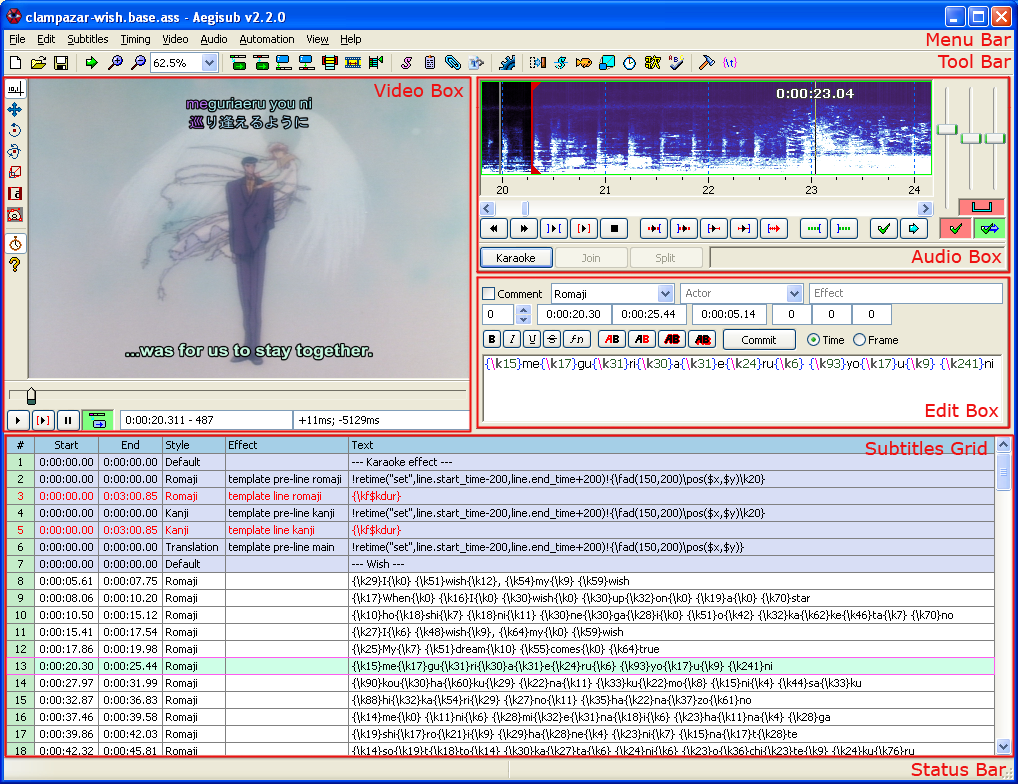
Aegisub is the most capable free subtitle editor available in 2026, but it has zero AI features — no auto-generation, no translation. It's powerful, mature, and completely free. If you already have subtitle files and just need to edit timing and text, Aegisub is hard to beat.
What stands out:
- Advanced timing tools (audio waveform display)
- ASS/SSA format support with full styling
- Large community and extensive documentation
Limitations:
- No AI — no auto-generation, no translation
- No video burn-in (you need ffmpeg separately)
- macOS version hasn't been updated in a while
- Manual workflow only
Best for: Subtitle professionals who need precise manual control.

2. GeekLink — Best for batch processing and all-in-one workflow
Price: Free tier + $12.99/mo or $99/yr for Pro
Platform: macOS and Windows desktop builds
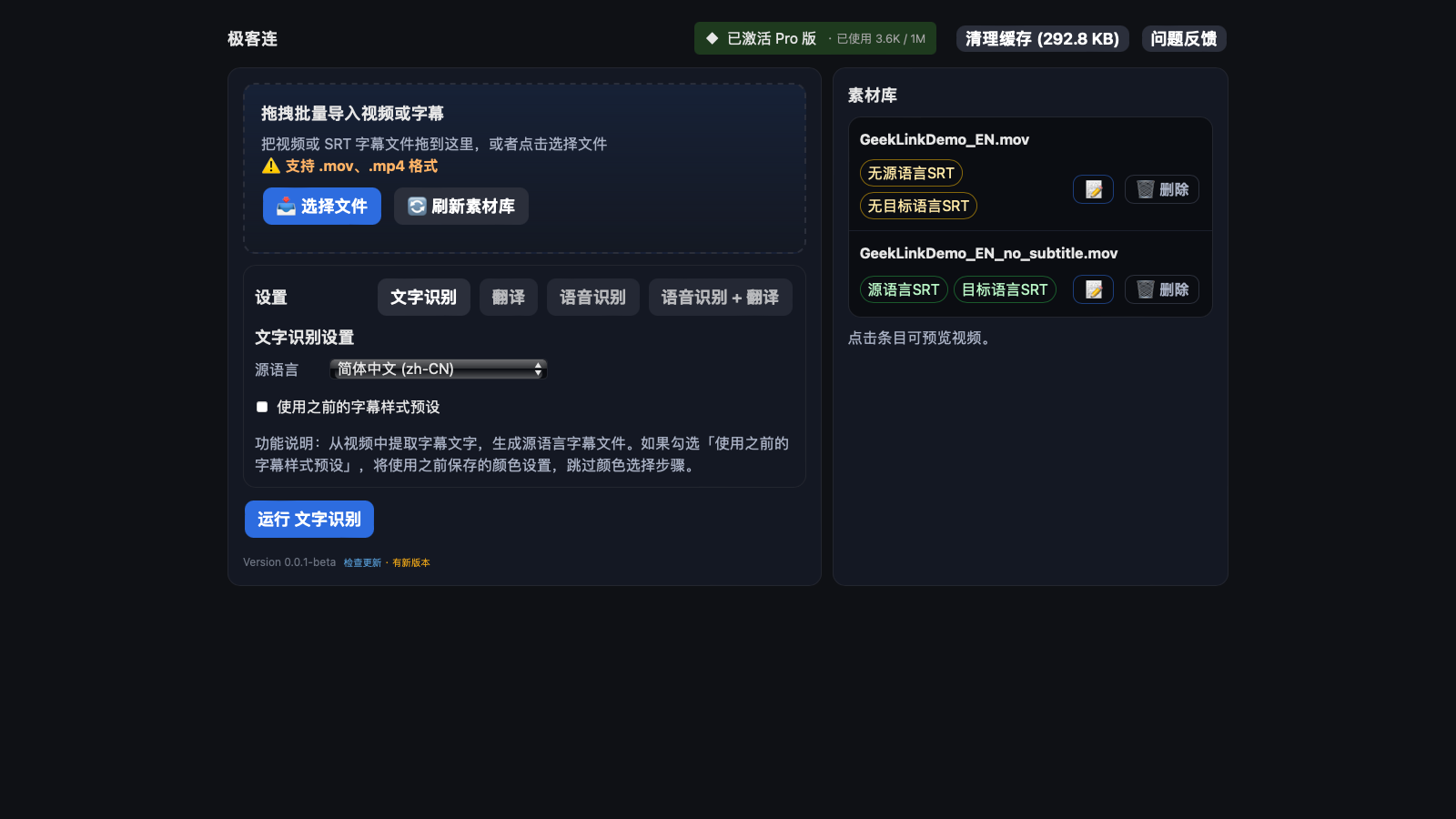
GeekLink handles transcription, OCR, translation, editing, and burn-in in a single offline desktop app. GeekLink is built specifically for subtitle work — it covers the full pipeline from audio to finished video, all running locally on your computer.
What stands out:
- Batch processing — import 50+ videos and process them all at once
- Runs 100% offline on your computer (no cloud upload)
- Bilingual subtitle support (two languages displayed simultaneously)
- Whisper-based AI speech recognition with multiple model sizes (Tiny to Large)
- OCR extraction for hardcoded subtitles, with automatic subtitle-line detection to separate captions from on-screen logos and watermarks
- AI sentence segmentation — splits long speech into clean, readable subtitle lines at natural sentence boundaries, not fixed-length blocks or mid-phrase cuts
- Flags low-confidence lines so you review only what the AI was unsure about — and can export a review pack (subtitles + bookmarks + video) to check in Subtitle Edit (how it works)
- Pro plans include AI credits for translation (1,000 per month on monthly) with your choice of Claude, GPT, Gemini, DeepSeek and more — no need to bring your own API key
Limitations:
- Free version includes full OCR extraction, batch processing, and 60 minutes of OCR export a month (OCR exports are clean, with no GeekLink credit; Pro or a Local Pass lifts the cap)
- Relatively new — smaller community and fewer tutorials compared to established tools
Best for: Content creators who process multiple videos regularly and want one tool for everything.

3. Subtitle Edit — Most feature-rich free editor, now native on Mac
Price: Free (open source)
Platform: Windows, macOS, Linux — v5.0 (2026) is a native cross-platform rebuild (Avalonia UI), with Apple Silicon & Intel Mac builds and no Mono required
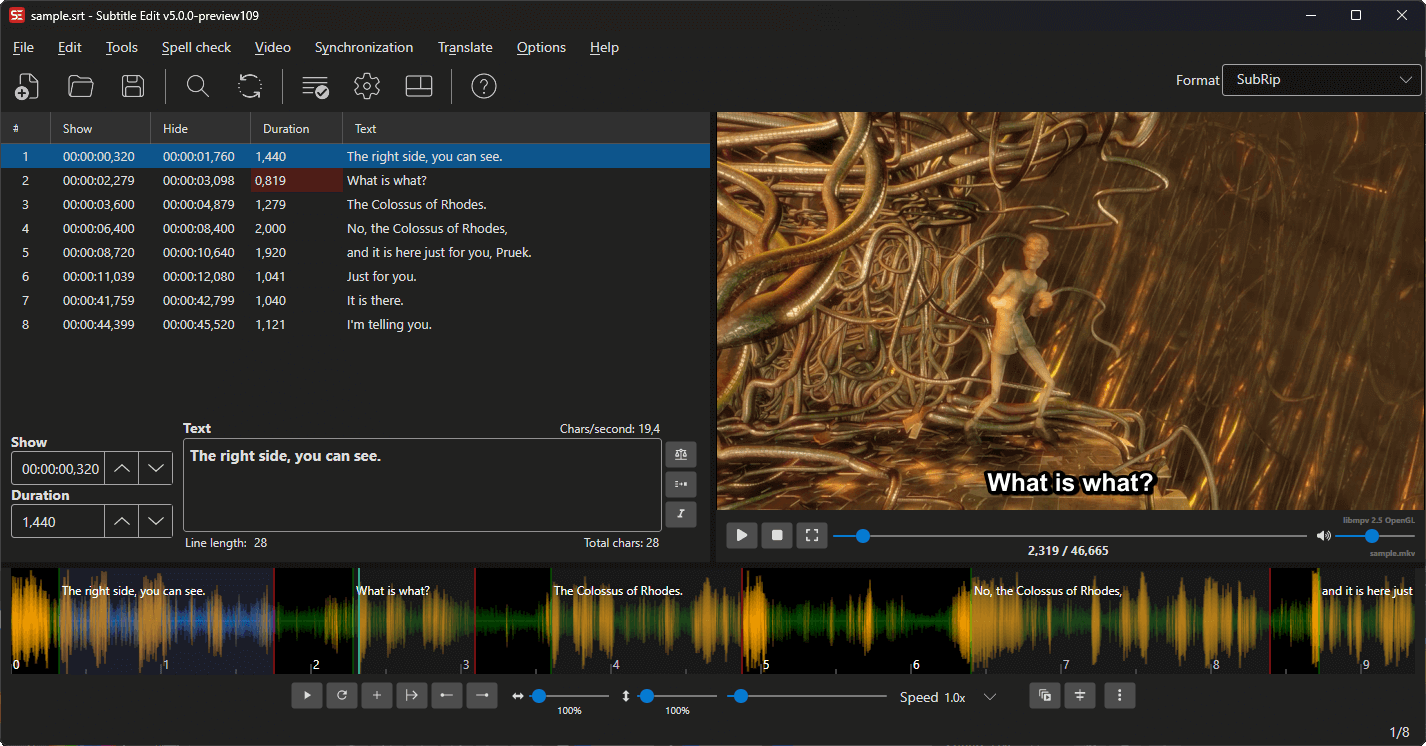
Subtitle Edit is the most feature-rich free subtitle editor available — 300+ subtitle formats, spell-checking, sync tools, and built-in Whisper speech-to-text that runs locally. Historically it was Windows-only (Mac users had to run it through Mono), but the v5.0 rebuild finally ships a genuine desktop app.
What stands out:
- 300+ subtitle format support
- Built-in Whisper speech-to-text — runs locally, offline, no API key
- Subtitle sync and adjustment tools, plus traditional rule-based line-breaking
- Built-in spell-checking and find/replace across subtitles
Limitations:
- The native Mac build (v5.0) is still in release-candidate stage — newer and less battle-tested than the mature Windows version
- Translation relies on external APIs (Google, DeepL, ChatGPT) — needs internet and your own keys
- No batch pipeline — transcription, editing, and burn-in stay separate manual steps
Best for: Users who want a free, mature, manual subtitle editor with traditional rule-based line-breaking and local Whisper transcription — now finally usable natively on Mac (v5.0).

4. CapCut — Best for short social media clips
Price: Free tier / Pro (price varies by region; e.g. S$19.48/mo in Singapore)
Platform: macOS, Windows, mobile, web
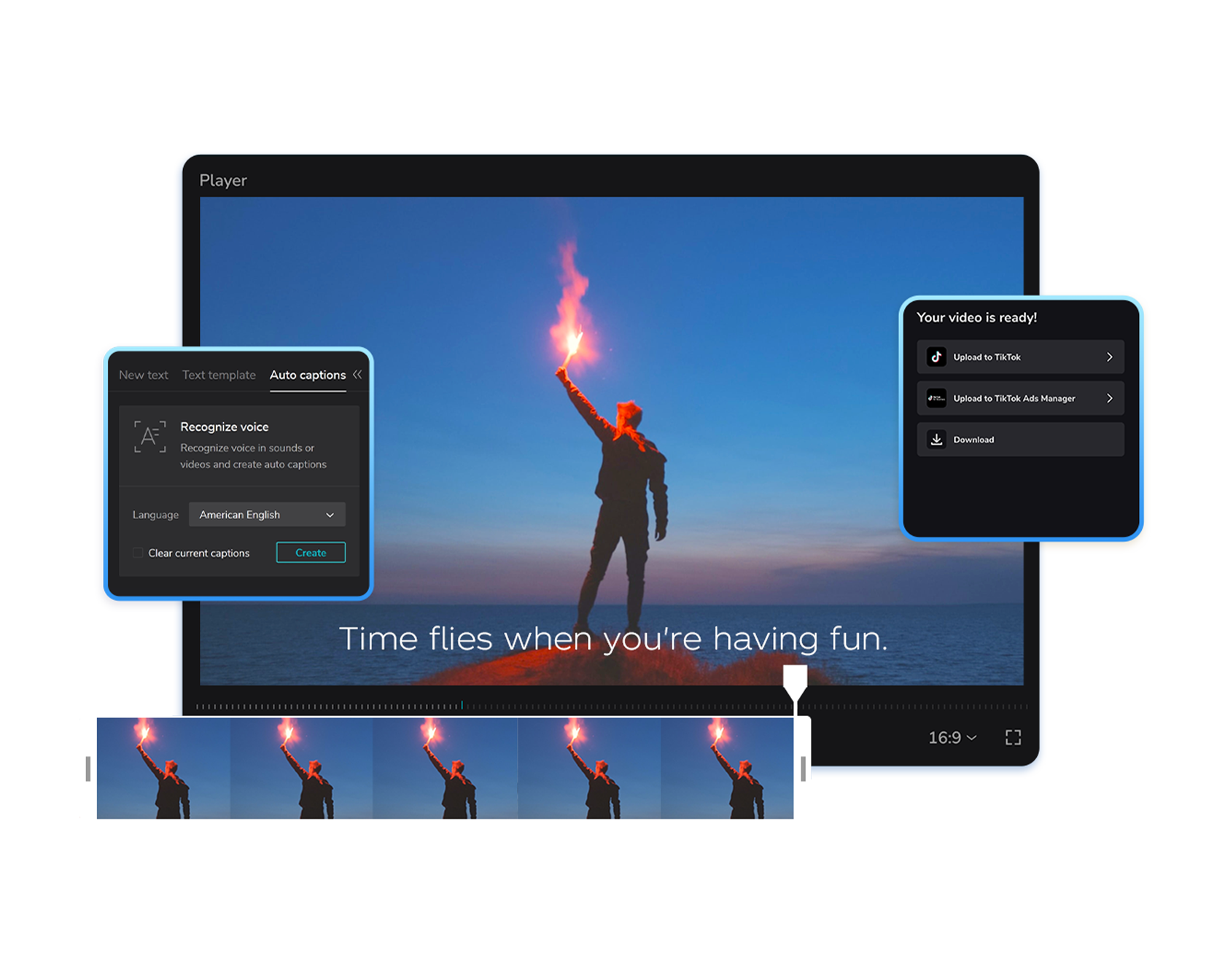
CapCut is a video editor with decent auto-subtitle features. It's great for TikTok/Instagram-style content.
What stands out:
- Free tier with basic auto-captions
- Trendy subtitle styles and animations
- Easy to use for beginners
Limitations:
- Owned by ByteDance — data privacy concerns for some users
- Not designed for long-form content
- Limited batch processing
- Requires internet for AI features
Best for: Social media creators making short clips.

5. Descript — Best AI video editor with transcript-based editing
Price: Free (1 hr/mo) / $16/mo Hobbyist / $24/mo Creator / $50/mo Business
Platform: macOS, Windows
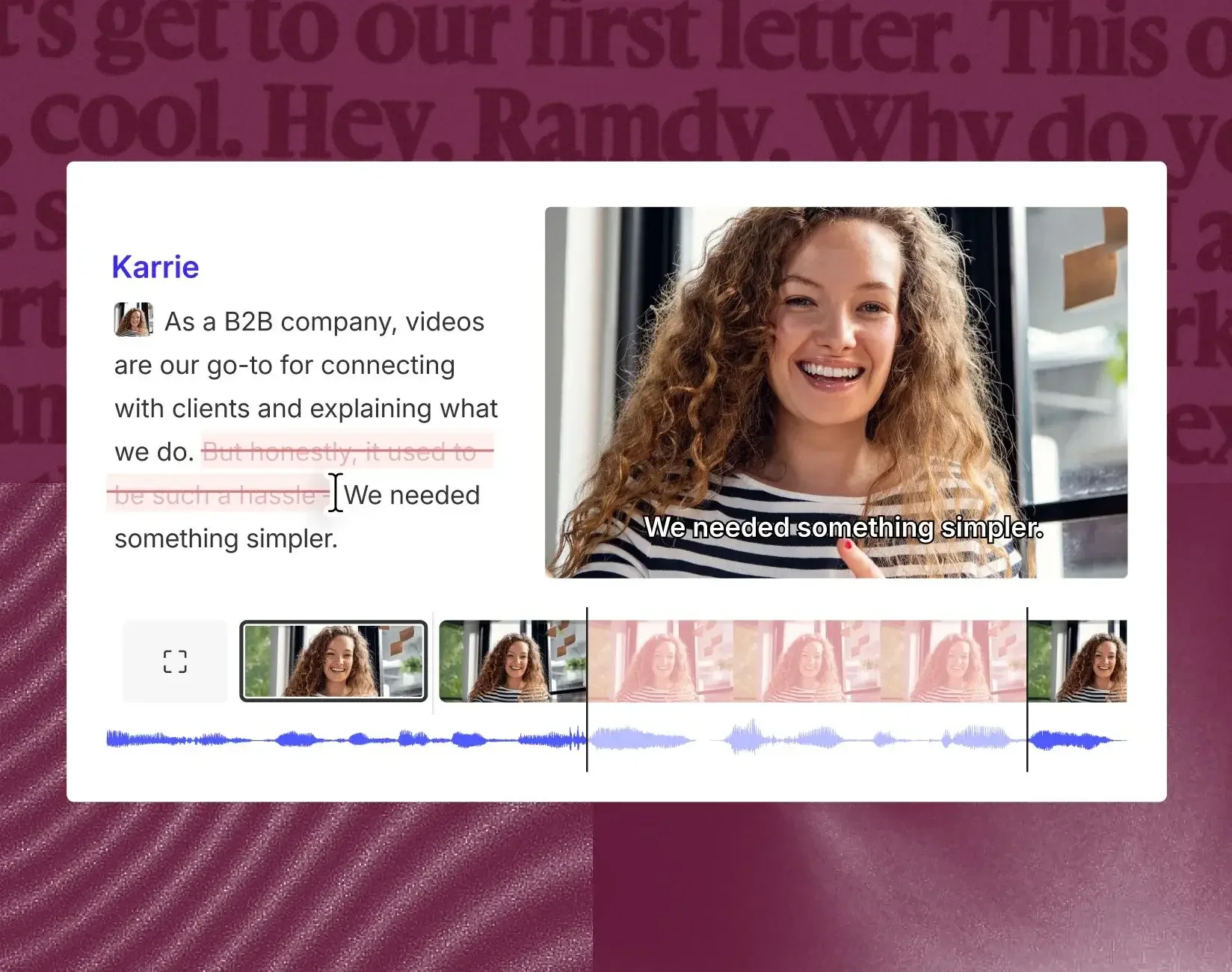
Descript's unique approach lets you edit video by editing its transcript — but it's a full video editor, not a dedicated subtitle tool. Descript auto-transcribes your recording, and deleting words from the text removes them from the video.
What stands out:
- Edit video by editing text — delete a word from the transcript, it's gone from the video
- AI transcription in 25 languages with speaker detection
- Studio Sound for audio cleanup
- Overdub for AI voice cloning
Limitations:
- Not a dedicated subtitle tool — it's a video editor that happens to do transcription
- "Media minutes" model can be confusing; AI credits run out fast
- No subtitle translation built-in
- Free tier watermarks exports
Best for: Podcasters and video editors who want transcript-driven editing workflows.

6. MacWhisper — Best Mac-native transcription GUI
Price: Free tier / €64 one-time Pro (sold via Gumroad and the App Store)
Platform: macOS only
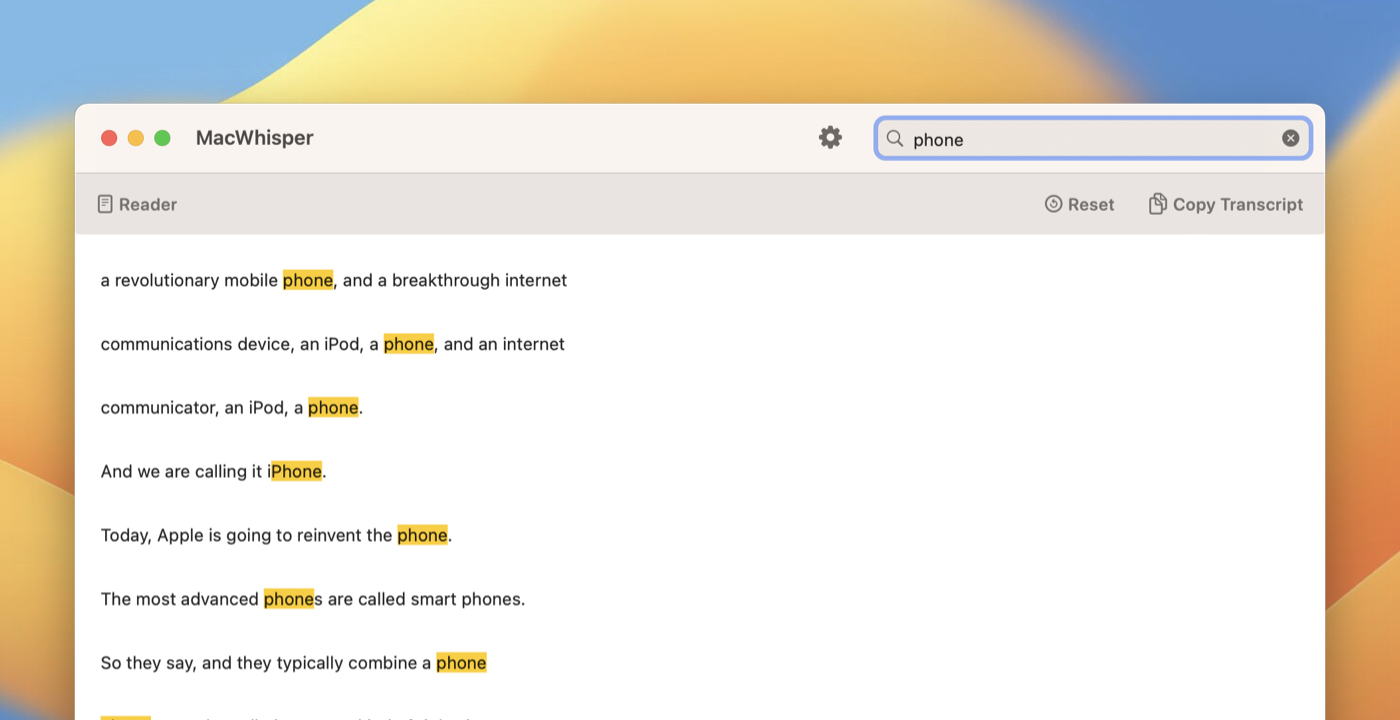
MacWhisper is the simplest way to get local AI transcription on Mac, but it only does transcription — no editing, no translation, no burn-in. MacWhisper runs entirely on your computer, supports multiple model sizes for different accuracy/speed tradeoffs, and exports to SRT/VTT.
What stands out:
- 100% local transcription — no data leaves your Mac
- Multiple model sizes (Tiny to Large-v3) for accuracy vs. speed
- Batch folder transcription (Pro)
- Speaker diarization (Pro)
- One-time purchase option on Gumroad
Limitations:
- Transcription only — no subtitle styling, no video editing, no burn-in
- No built-in translation
- Free tier limited to smaller models
Best for: Users who just need fast, accurate local transcription on Mac and will handle editing elsewhere.
Part 2: Best Online Subtitle Editors

7. Kapwing — Best cloud-based collaborative subtitle editor
Price: Free (watermark, 4-min limit) / $16/mo Pro / $50/mo Business
Platform: Web-based (browser only)
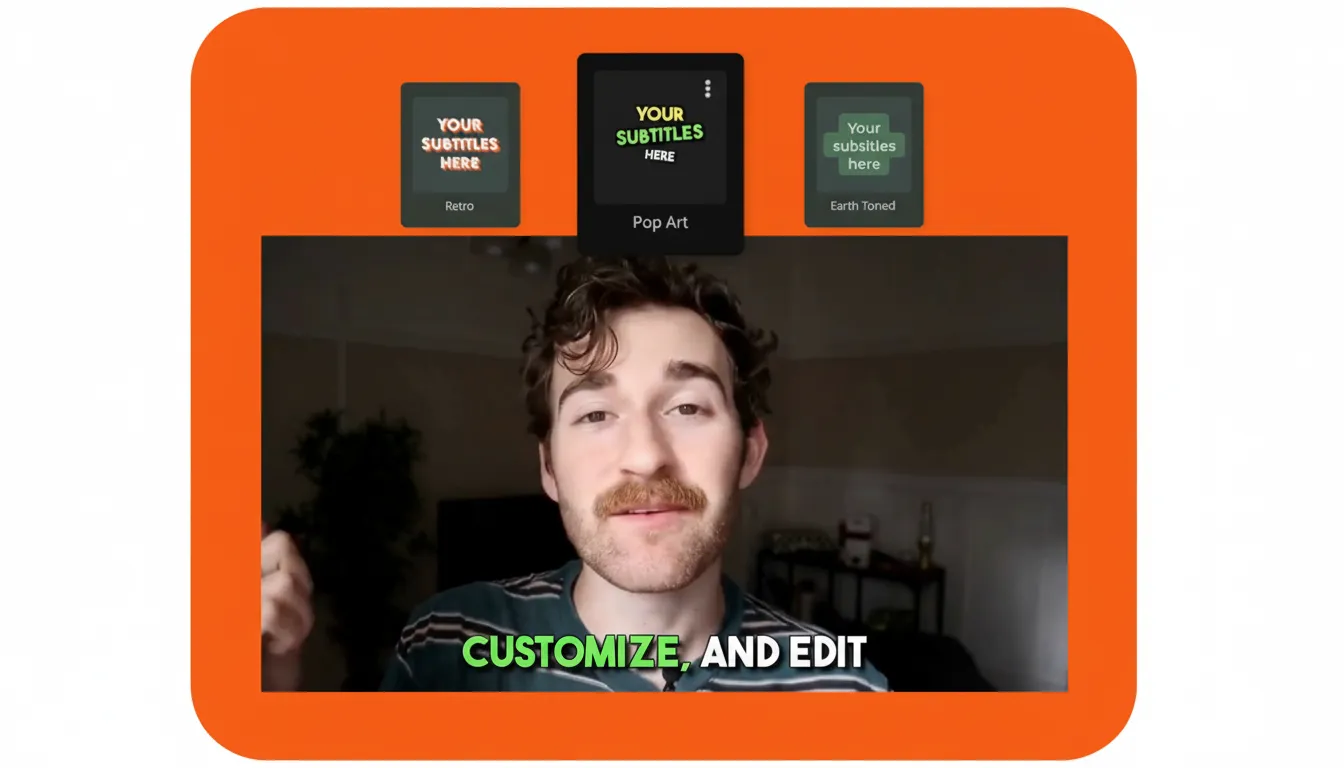
Kapwing is the strongest cloud-based subtitle editor for teams, with AI subtitles in 70+ languages and up to 1,000 auto-subtitle minutes a month on Pro ($16/mo billed yearly). Kapwing is a browser-based video editor with real-time collaboration and a generous monthly allowance on the Pro plan.
What stands out:
- AI subtitles in 70+ languages
- 100+ preset caption styles with full customization
- Speaker detection — auto-labels different speakers
- Export to SRT, VTT, or TXT
- Team collaboration features
Limitations:
- Cloud-only — video must be uploaded
- Free tier has watermark and 4-minute export limit
- Needs stable internet connection
Best for: Teams who want cloud-based subtitle workflows with real-time collaboration.

8. Veed.io — Best for trendy subtitle styles and quick edits
Price: Free (watermark) / $10/mo Creator / $21/mo Pro / $35/mo Studio (billed yearly)
Platform: Web-based (browser only)
Veed.io offers the widest language coverage among online tools — AI subtitles in 100+ languages with auto-translation to 50+ languages. Veed.io is a polished cloud video editor known for its trendy subtitle templates and clean interface.

What stands out:
- AI subtitles in 100+ languages
- Auto-translate subtitles to 50+ languages
- Eye-catching subtitle templates and styles
- Clean, beginner-friendly interface
- Brand kit for consistent styling (Pro)
Limitations:
- Cloud-only — uploads required
- Free tier exports carry a watermark
- Subtitle translation needs Pro ($21/mo billed yearly); Creator covers auto subtitles only
Best for: Social media creators who want polished subtitle styles quickly.

9. EasySub — Best budget cloud subtitle generator
Price: Free tier / $5/mo Beginner (1 hr of subtitles) / $9/mo Starter (3 hrs) / $15/mo Creator (6 hrs) / $26/mo Pro (10 hrs)
Platform: Web-based (browser only)
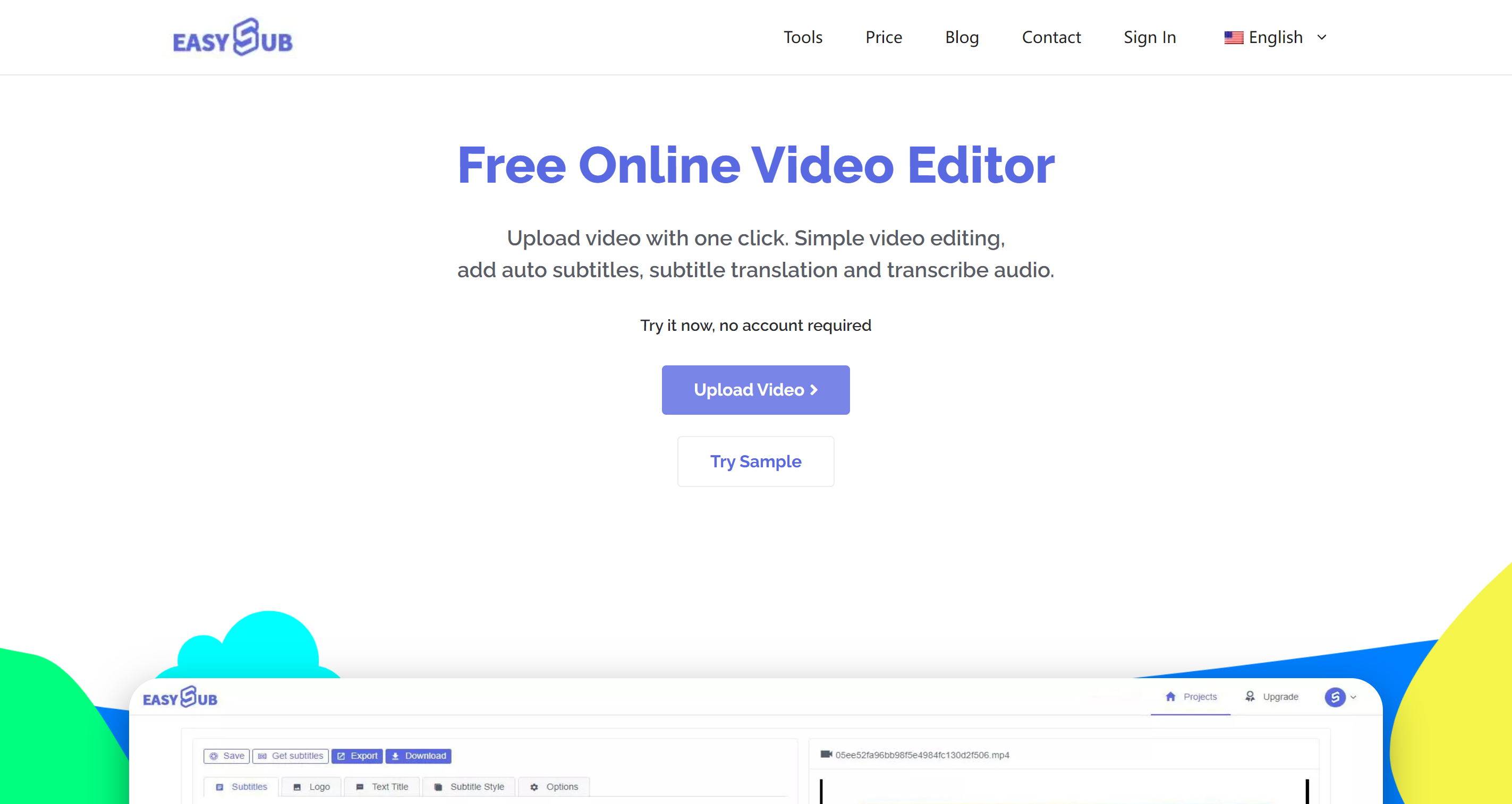
EasySub is a cloud-based AI subtitle generator that supports 150+ languages. Upload your video, get subtitles generated, edit in the browser, and export.
What stands out:
- 150+ languages supported
- Built-in subtitle translation
- Simple browser-based workflow — no install needed
- Low-cost plans starting at $5/mo
Limitations:
- Cloud-only — video must be uploaded to their servers
- Monthly subtitle hours are capped (1–10 hours depending on plan)
- No offline processing
- No batch workflow for multiple videos
Best for: Occasional users who need a quick subtitle for a single video and don't mind cloud upload.

10. Typito — Best for branded social media captions
Price: Free (watermark, 30 min/mo) / $15/mo Solo / $29/mo Pro (billed annually)
Platform: Web-based (browser only)
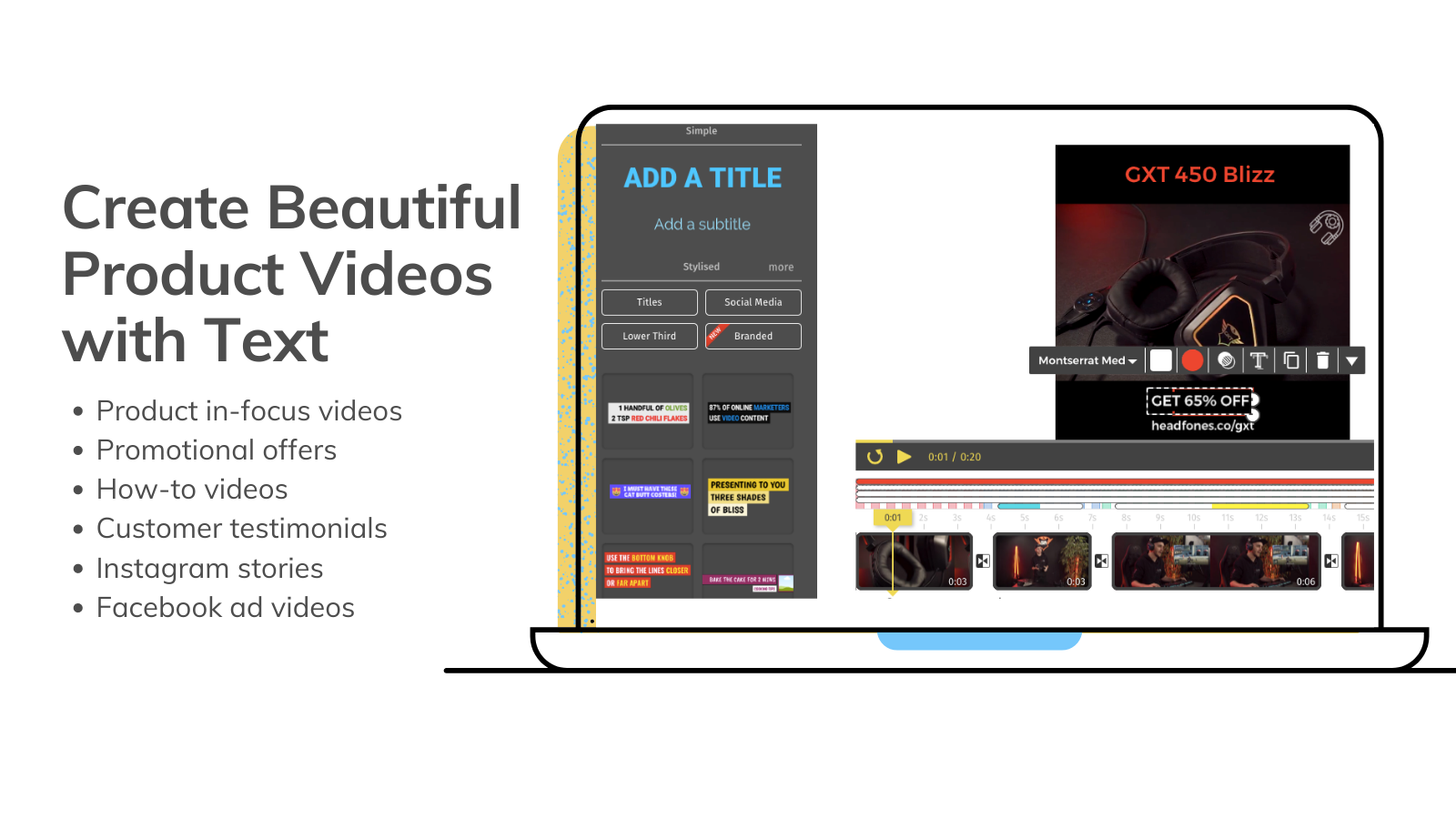
Typito is a drag-and-drop video editor focused on social media content with built-in speech-to-text captioning. It supports 100 languages and 20+ video formats optimized for different social platforms.
What stands out:
- Speech-to-text captions in 100 languages
- 600+ templates for social media video formats
- 20+ aspect ratios (Instagram, TikTok, YouTube, LinkedIn)
- Simple drag-and-drop interface
Limitations:
- Cloud-only
- Free tier: 30 min/mo export with watermark
- No built-in subtitle translation
- 10-minute project limit on Solo plan
Best for: Social media marketers who need branded video captions across multiple platforms.

11. Happy Scribe — Best for professional transcription and subtitle export
Price: Free (10 min) / €17/mo Basic / €29/mo Pro / €89/mo Business (€8.50 / €19 / €59 billed yearly)
Platform: Web-based (browser only)
Happy Scribe is the only tool in this list that offers human-reviewed transcription, reaching up to 99% accuracy — but it starts at €1.75/min for human review. Happy Scribe supports 120+ languages and exports to SRT, VTT, DOCX, and PDF.
What stands out:
- AI + human transcription options (up to 99% accuracy with human review)
- 120+ languages with subtitle translation to 150+ languages
- Exports to SRT, VTT, DOCX, PDF
- Integrations with Dropbox, Google Drive, Slack, Vimeo
Limitations:
- Cloud-only
- Per-minute pricing beyond plan limits (€0.20/min)
- Human transcription is expensive (from €1.75/min)
- No video editing
Best for: Professional content teams who need high-accuracy transcription and polished subtitle files.

12. Amara — Best for community-driven subtitle collaboration
Price: Free / $24/mo Plus / Enterprise (custom)
Platform: Web-based (browser only)
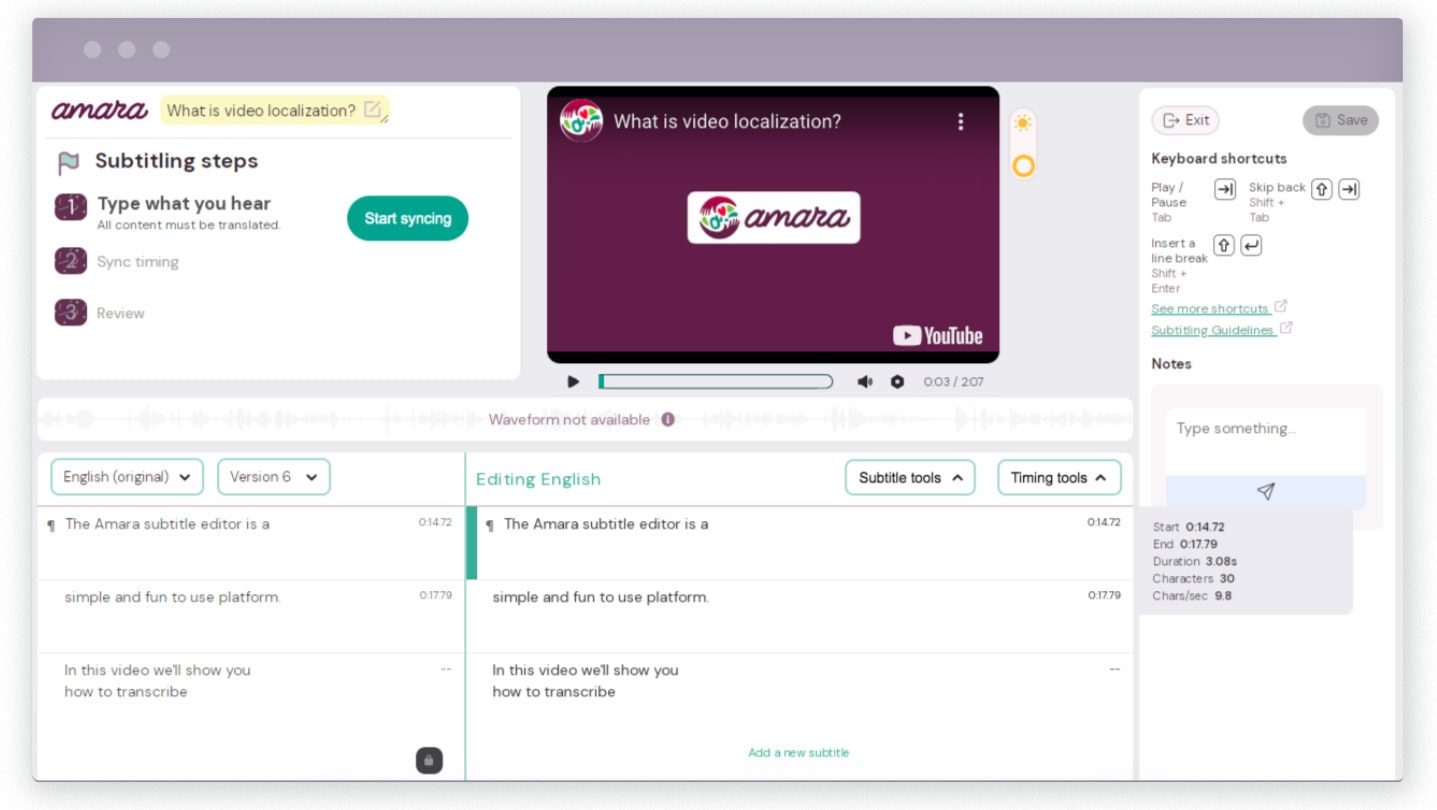
Amara is a community-powered subtitle platform focused on making video accessible globally. It started as a non-profit project and combines a solid subtitle editor with collaboration tools for teams and volunteer communities.
What stands out:
- Community collaboration — invite volunteers to subtitle together
- Audio waveform editing with adjustable playback speed
- YouTube and Vimeo integration
- Professional human subtitle services available
- Strong accessibility focus
Limitations:
- AI captions limited to a few languages (Plus only)
- UI feels dated compared to newer tools
- Limited free tier
- No video editing or burn-in
Best for: Non-profits, educators, and communities who need collaborative subtitle workflows.
How do all 12 subtitle editors compare?
I tested all 12 tools hands-on — installing every desktop app on my Mac and running real subtitle jobs through every online tool — so the data below reflects actual experience, not spec sheets.
| Tool | Type | AI Generation | Translation | Batch | Offline | Price |
|---|---|---|---|---|---|---|
| Aegisub | Desktop | No — manual only | No | No | Yes — fully offline | Free (open source) |
| GeekLink | Desktop | Yes — Whisper (Tiny to Large), runs locally | Yes — 40+ languages, AI credits included | Yes — 50+ videos at once | Yes — fully offline | Free / $12.99/mo |
| Subtitle Edit | Desktop | Yes — local Whisper | Via translation APIs (keys) | No | Recognition/editing offline; translation needs internet | Free (open source) |
| CapCut | Desktop + Web | Yes — auto-captions | Basic — limited language pairs | No | No — requires internet | Free / Pro (e.g. S$19.48/mo in Singapore) |
| Descript | Desktop | Yes — 25 languages | No | No | No — requires internet | Free / $24/mo |
| MacWhisper | Desktop | Yes — local Whisper models | No | Yes — folder batch (Pro only) | Yes — fully offline | Free / €64 lifetime |
| Kapwing | Online | Yes — 70+ languages | Yes — 70+ languages | No | No — cloud only | Free / $16/mo |
| Veed.io | Online | Yes — 100+ languages | Yes — 50+ languages | No | No — cloud only | Free / $10/mo |
| EasySub | Online | Yes — 150+ languages | Yes — 150+ languages | No | No — cloud only | Free / $5/mo |
| Typito | Online | Yes — 100 languages | No | No | No — cloud only | Free / $15/mo |
| Happy Scribe | Online | Yes — 120+ languages, AI or human | Yes — 150+ languages | No | No — cloud only | Free / €17/mo |
| Amara | Online | AI captions on Plus plan only | Yes — community volunteers | No | No — cloud only | Free / $24/mo |
Prices checked on each tool's official pricing page in September 2026. Where a vendor lists yearly billing, the per-month equivalent is shown.
Platform, format support, and free tier limits
| Tool | Best For | Platform | Export Formats | Burn-in | What You Get for Free |
|---|---|---|---|---|---|
| Aegisub | Manual timing & styling | macOS, Win, Linux | ASS, SSA, SRT | No (needs ffmpeg) | Everything — fully open source |
| GeekLink | Batch processing & full pipeline | Mac (Apple Silicon) and 64-bit Windows | SRT, ASS, VTT, TXT | Yes | Full OCR & speech recognition, batch processing; 60 min/mo OCR export (clean OCR exports; GeekLink credit on free speech-subtitle exports) |
| Subtitle Edit | Format conversion & bulk fixes | Win / Mac / Linux (v5 native) | 300+ formats | No | Everything — fully open source |
| CapCut | Short social media clips | macOS, Win, mobile, web | SRT (via export) | Yes | Basic auto-captions; exports have watermark |
| Descript | Transcript-based video editing | macOS, Win | SRT, VTT | Yes | 1 hour of transcription per month; exports have watermark |
| MacWhisper | Fast local transcription | macOS and Windows | SRT, VTT, TXT | No | Transcription with Tiny and Base models only; no batch, no speaker labels |
| Kapwing | Team collaboration & captions | Web (browser) | SRT, VTT, TXT | Yes | Export up to 4 minutes; watermark on all videos |
| Veed.io | Trendy subtitle templates | Web (browser) | SRT, VTT, TXT | Yes | 30 minutes of subtitles per month; watermark on all videos |
| EasySub | Quick cloud subtitles | Web (browser) | SRT, ASS, VTT | Yes | 30 minutes of subtitles per month; no watermark |
| Typito | Branded social media video | Web (browser) | SRT | Yes | 30 minutes of export per month; watermark on all videos |
| Happy Scribe | Professional transcription | Web (browser) | SRT, VTT, DOCX, PDF | No | 10 minutes of transcription total (one-time, not monthly) |
| Amara | Community collaboration | Web (browser) | SRT, DFXP, VTT | No | Manual subtitle editing; no AI captions |
Which subtitle editor should you choose?
It depends on your workflow:
- Batch processing + offline + translation: GeekLink is the most complete option. One tool does transcription, OCR, translation, editing, and burn-in — all locally on your computer.
- Manual subtitle editing: Aegisub is still the gold standard for free, precise control over timing and styling.
- Transcript-based video editing: Descript if you want to edit video by editing text.
- Quick online subtitles: Kapwing or Veed.io for polished results with no install.
- Budget-friendly cloud option: EasySub from $5/mo.
- Professional transcription accuracy: Happy Scribe with its human review option.
Disclosure: I built GeekLink. I've tried to be fair in this comparison, but take my bias into account. Try the tools yourself — most have free tiers.
FAQ
What is the best free subtitle editor for Mac?
For manual editing, Aegisub is the best free option — it's open source and powerful. For AI-powered subtitle generation, GeekLink offers a free tier with AI transcription and OCR. MacWhisper has a free tier for basic local transcription. Subtitle Edit is also free and now runs natively on Mac (v5.0) with built-in local Whisper transcription.
Can I edit SRT files on Mac?
Yes. Aegisub, GeekLink, Subtitle Edit, and MacWhisper (Pro) all support SRT files on Mac. Among online tools, Kapwing and Happy Scribe can export to SRT. GeekLink can also auto-generate SRT files from video using AI speech recognition.
Which subtitle editor works offline on Mac?
GeekLink, Aegisub, Subtitle Edit, and MacWhisper all work fully offline. GeekLink's AI transcription and OCR also run offline after downloading the models. All online tools (Kapwing, Veed.io, EasySub, etc.) require internet.
Can I burn subtitles into video on Mac?
GeekLink and CapCut can burn (hardcode) subtitles directly into video on Mac. Aegisub requires ffmpeg separately. Veed.io, Kapwing, and EasySub can burn subtitles in the cloud. MacWhisper and Amara cannot burn subtitles; Descript and Happy Scribe can.
What's the best online subtitle generator?
For features and polish, Kapwing and Veed.io are the strongest options with AI subtitles, templates, and collaboration tools. For budget users, EasySub from $5/mo is the most affordable. For professional accuracy, Happy Scribe offers human transcription review up to 99% accuracy.
Which subtitle editor supports the most languages?
EasySub and Happy Scribe support 150+ languages. Veed.io supports 100+ languages for transcription. Kapwing covers 70+ languages. GeekLink supports 49 languages for transcription and 40+ for translation, all running locally. Descript supports 23 languages.