TL;DR: I ran GeekLink's speech recognition (Whisper-based, with Precise Timestamps and AI Smart Segmentation on) on a single TED talk, then compared all 325 lines of TED's own official published transcript against what GeekLink produced. 198 lines matched almost immediately. 106 were structural, not directly comparable — TED's editors merge or split sentences differently, mark (Laughter)/(Applause) where there's no dialogue, and there's one ~9-second music-only stretch with no official caption at all. Of the lines that did have a direct match, 21 (about 1 in 16) were flagged for a bigger timing gap or wording difference worth a second look — and only 5 of those were serious enough to flag red. This is one test on one video, not a benchmark, but the actual numbers and examples are below.
Why I Ran This Test
"AI subtitles are 90% accurate" gets said a lot, but it never says accurate at what — timing, wording, punctuation, and line breaks are different failure modes, and a tool can be excellent at one and shaky at another. I wanted to see, on one real video, exactly where the gap actually shows up.
TED talks are a good test case because TED publishes its own official, human-edited captions for every talk. That gives me a real answer key to check against, instead of just eyeballing whether a transcript "looks right."
How I Set Up the Test
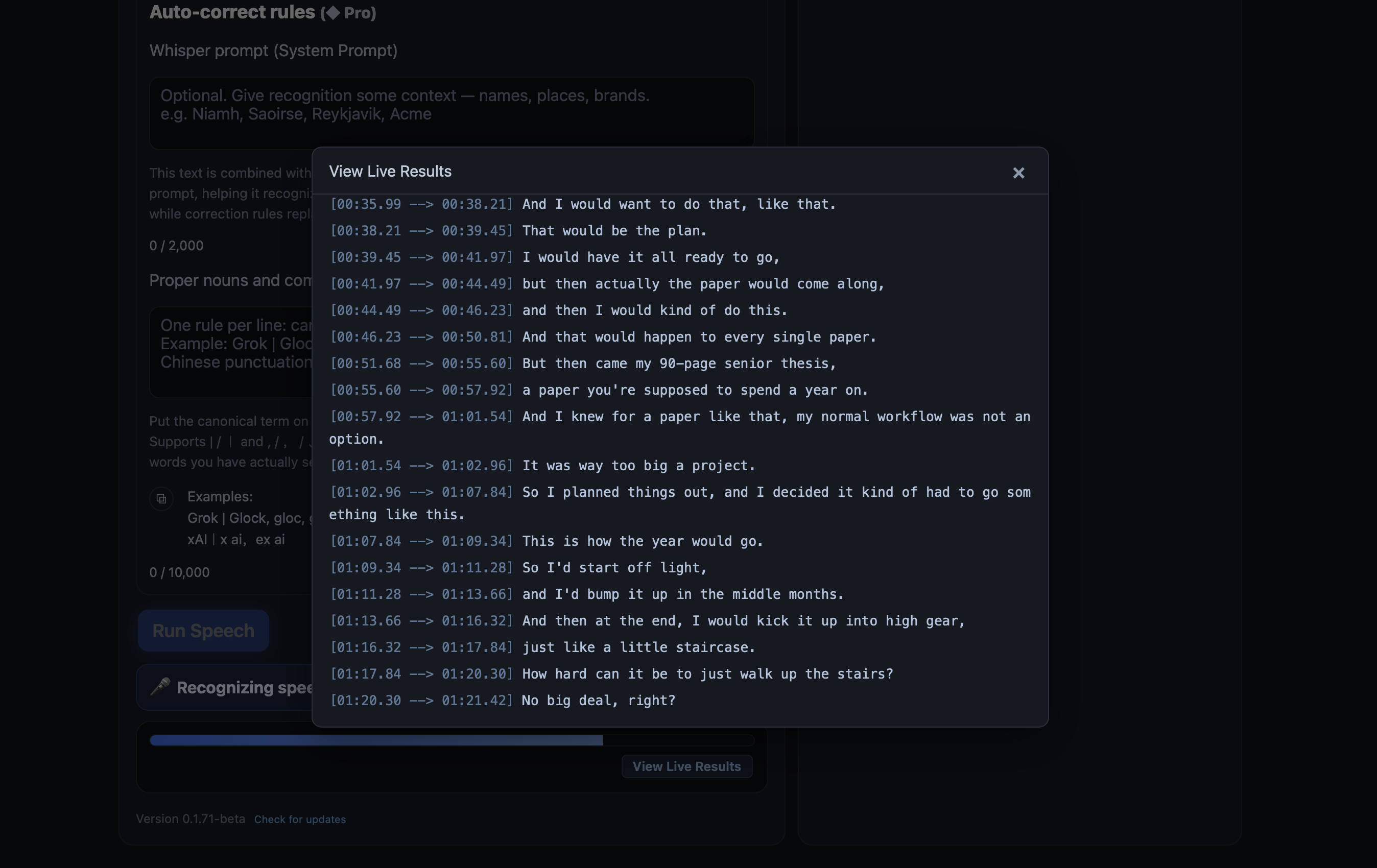
I imported a TED talk into GeekLink, told it there were no subtitles yet (audio only), and turned on Precise Timestamps and AI Smart Segmentation before running voice-to-subtitle recognition with the Whisper Large model.
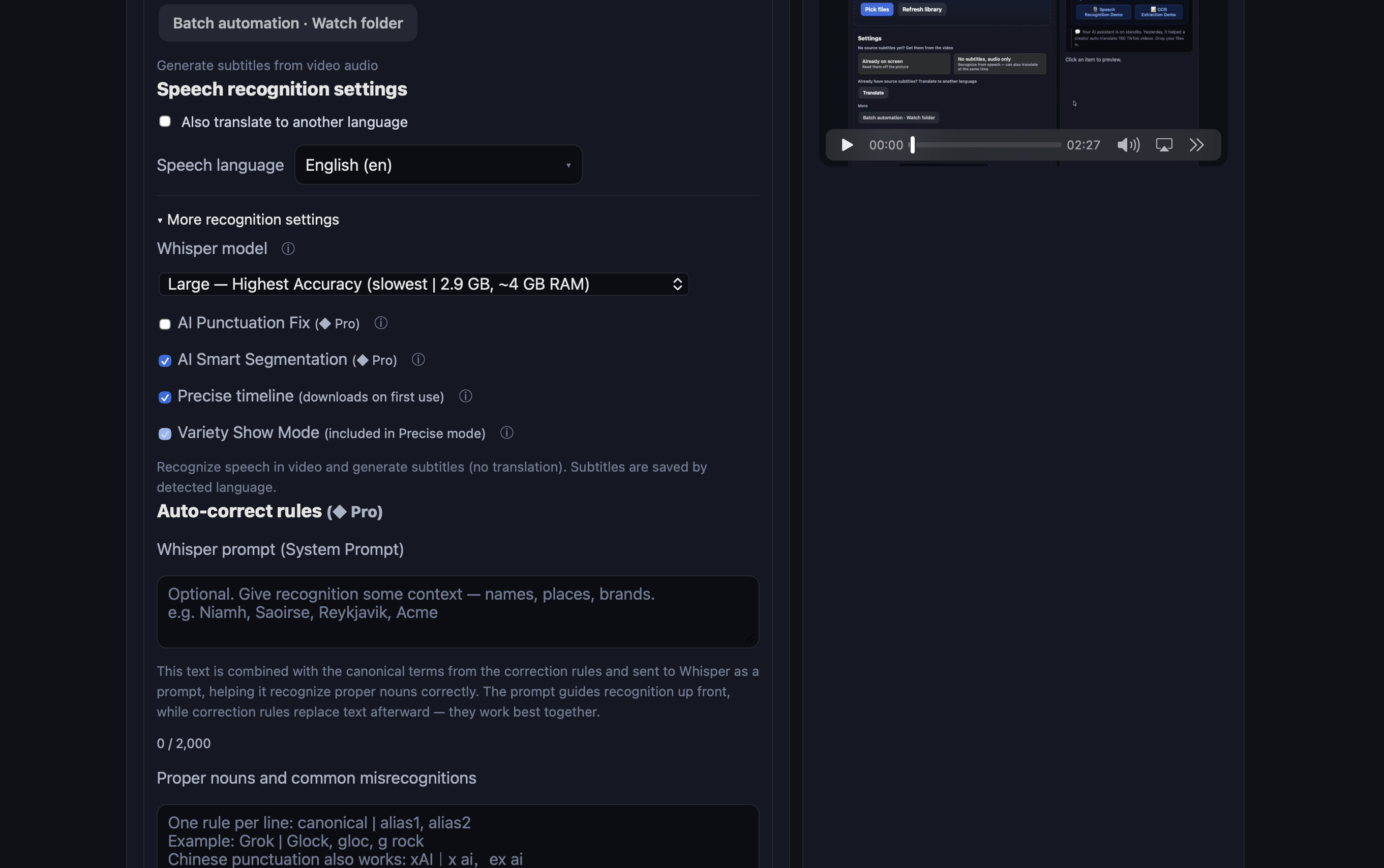
Recognition streamed results in as it ran — I could open a live view and watch lines appear with timestamps before the job even finished.
After recognition, GeekLink ran a separate timeline alignment pass — that's the Precise Timestamps step, which re-times each line against the actual audio instead of trusting Whisper's raw guesses. One thing worth flagging honestly: the talk had a short music-only stretch, and Whisper — like any speech model — doesn't handle music well, so that section needed a manual look rather than trusting the automatic output there.
How I Compared the Output to TED's Official Subtitles
Once recognition and alignment finished, I ran a small comparison script I wrote for this: it lines up TED's official transcript against GeekLink's output line by line, computes the timing offset for each match, and flags anything with a bigger gap or a wording difference for a manual look. It's not a feature in the app — it's a script, and its output isn't something GeekLink shows you day to day. I'm showing the actual output below, not a summary of it — scroll the table to see every line.
What the Differences Actually Were
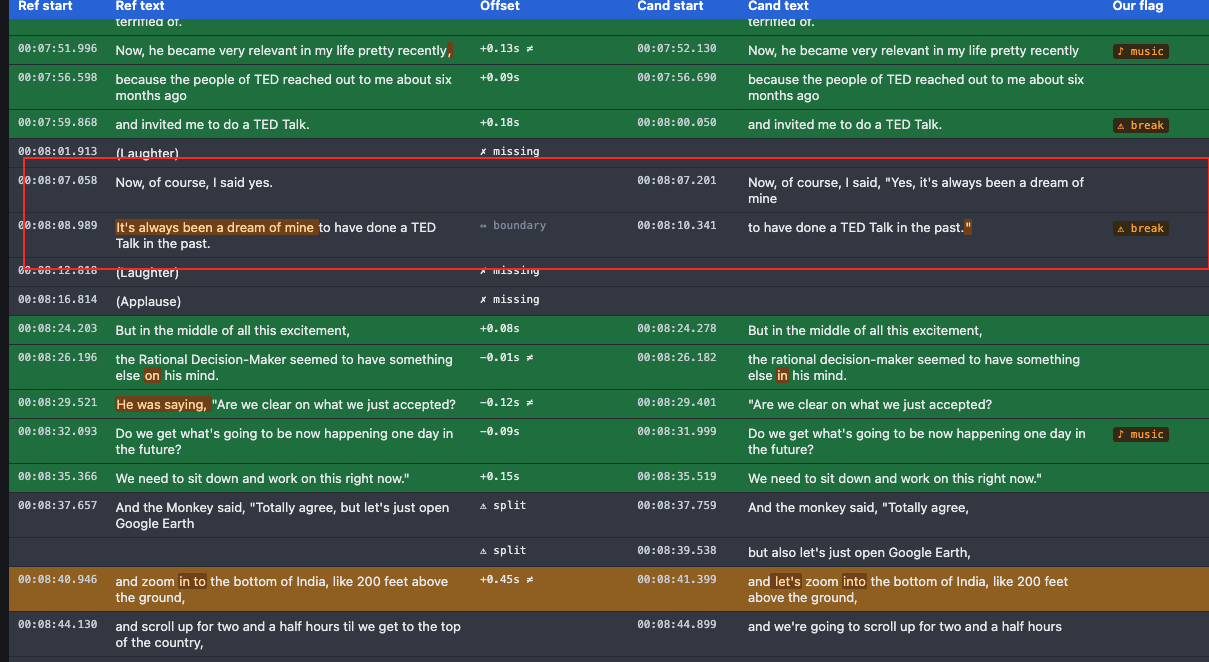
Of the 325 lines in TED's official transcript, 198 lined up with a GeekLink line at nearly the same timestamp. Another 106 weren't directly comparable line-for-line — TED's editors merge or split sentences differently than GeekLink did, mark (Laughter) and (Applause) where there's no dialogue to transcribe, and there's a single ~9-second stretch of pure music with no official caption at all. Of the lines that did have a direct match, 21 — about 1 in 16 — were flagged for a bigger timing gap or a wording difference, and only 5 of those were flagged as more serious. Here's what those differences actually looked like:
- Word choices, both directions. TED's official transcript reads "my normal work flow was not an option"; GeekLink recognized it as "workflow" — one word. In another line, TED's transcript reads "that would happen every single paper," and GeekLink added "to" ("happen to every single paper") — which reads as the more grammatically complete version of the sentence. Official transcripts aren't automatically the ground truth on every word either.
- An added connector. One line: TED's official text has "everything gets done, things stay civil"; GeekLink recognized "everything gets done and things stay civil." Same meaning, one extra word — could be an actual word TED's editors trimmed, or could be recognition adding a natural-sounding connector. I can't tell which from the transcript alone.
- A real segmentation difference. In one spot, TED's captions read "Now, of course, I said yes." / "It's always been a dream of mine to have done a TED Talk in the past." as two plain lines. GeekLink split the same audio differently, formatting it as a direct quote: "Now, of course, I said, 'Yes, it's always been a dream of mine'" / "'to have done a TED Talk in the past.'" Same words, same meaning — GeekLink's AI Smart Segmentation just drew the line break in a different place and treated it as quoted speech.
Why the Timing Was So Close
Speech recognition models like Whisper predict timestamps rather than measure them — the model's best guess at when a word starts tends to drift, especially over a long talk, so raw output often lands a beat early or late. That's the actual source of most "the subtitle appeared before they said it" complaints people have with AI-generated subtitles.
Precise Timestamps exists specifically to fix that drift — it re-aligns each line against the real audio waveform after recognition, instead of trusting the model's first guess. That's the step shown in the screenshot above, and it's the reason the timing in this test held up as well as it did.
What This Means for Review Time
One video isn't a benchmark, and I'm not going to pretend it is. But it lines up with what motivated GeekLink in the first place: on this talk, only 21 of 325 lines — about 1 in 16 — were worth a second look. If I'd manually re-read and re-timed every single line the way a lot of subtitle workflows expect, I'd have spent almost all of that time re-checking work that was already correct.
That's the whole idea behind flagging the lines worth checking instead of re-reading a full transcript: most of it doesn't need your attention. The parts that do are usually easy to spot if something points at them for you.
FAQ
Are AI-generated subtitles accurate enough to use without any review?
Not without any review, but they're closer than "90% accurate" implies. In this test, comparing 325 lines against an official human-edited transcript, only 21 (about 1 in 16) were flagged for a timing gap or wording difference worth a second look, and just 5 of those were serious. A quick pass over flagged lines is still worth doing, but re-reading every line from scratch usually isn't necessary.
What's the difference between AI subtitle timing errors and wording errors?
Timing errors come from the model predicting when a word starts rather than measuring it precisely, so cues can land a beat early or late. Wording errors come from actual misrecognition of the audio. In this test, timing was corrected by a forced-alignment pass, and the wording differences that came up were things like one word split differently ("workflow" vs. "work flow") or an added connector word — not misheard words.
Does GeekLink support precise subtitle timing?
Yes. GeekLink's Precise Timestamps option re-aligns each subtitle line against the actual audio after speech recognition, correcting the timing drift that raw AI transcription typically produces.
Can AI speech recognition handle background music well?
Not reliably. Whisper and similar speech models are built to recognize speech, not separate it from music, so sections with music playing under dialogue are worth a manual check rather than trusting the automatic output.
How can I check AI subtitle accuracy myself?
Find a video with an official or otherwise trusted transcript, run your tool's speech recognition on it, then compare the two line by line — checking timing offset and wording separately, since they fail in different ways. That's the exact process used in this test.
Disclosure: GeekLink is our own product. This is one manual test on one video, not a controlled study — treat it as a look at where the gaps actually are, not a statistical accuracy claim.